Intended for: Event managers or administrators of a VancastVideo workspace
There are two ways an external Streaming Company can obtain the RTMP URL's
- If the external production company is a frequent collaborator, invite the producer to join your VancastVideo workspace as a producer. Give them permissions over the event and finally send them a link to an article on this support page to help them use the platform for this specific purpose
- If the external production company is a one-time collaborator, obtain yourself the RTMP URL and associated Token and share them with the producer. They will know how to use them. Share with them an article on this support page to help them configure the streaming settings correctly for the platform
The external production company is a frequent collaborator (STEPS)
1) Invite the producer to join your VancastVideo workspace as a producer
Click on the icon located at the top-right side of the page, then click on the
  icon to open your Workspace Administrators page.
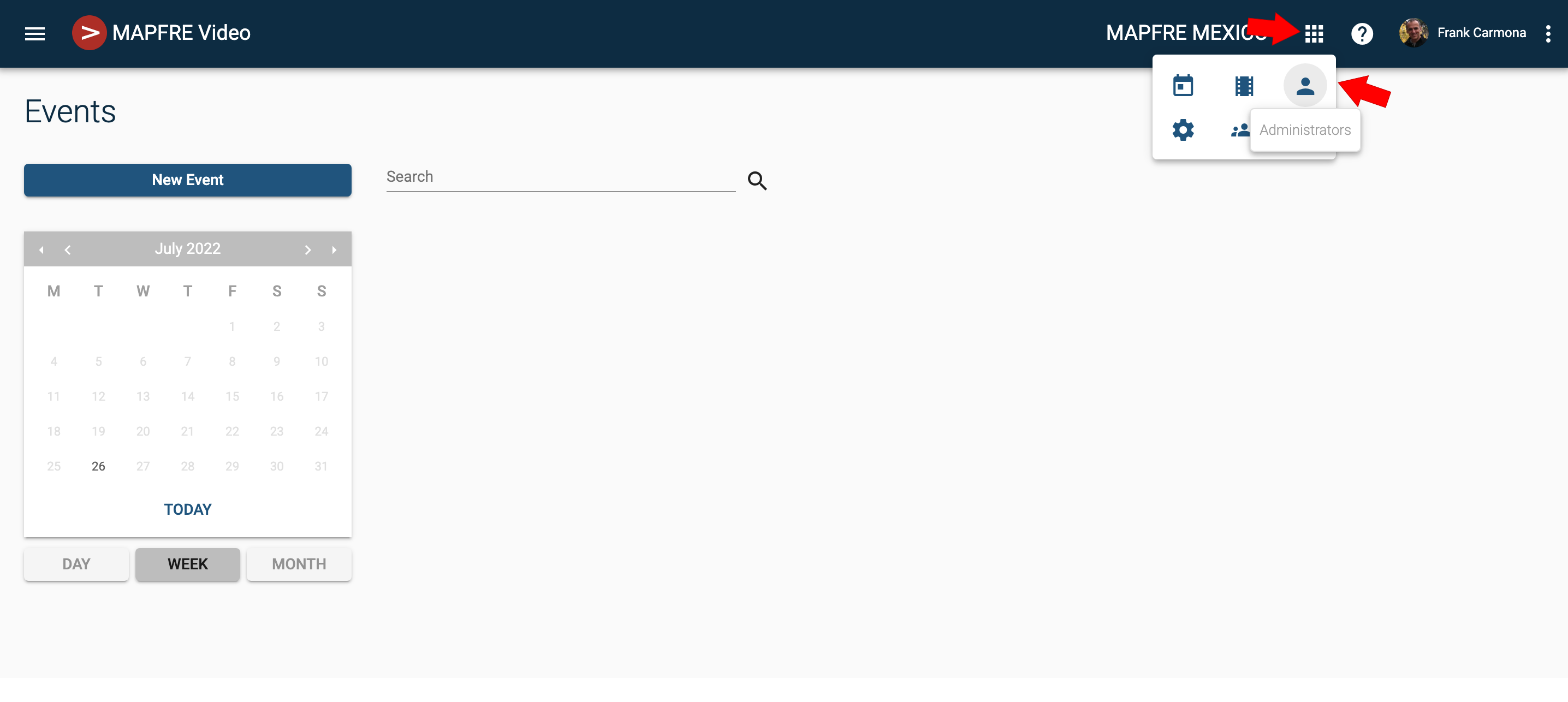
You will land on the Administrators page. Once here, click on to invite a New workspace administrator
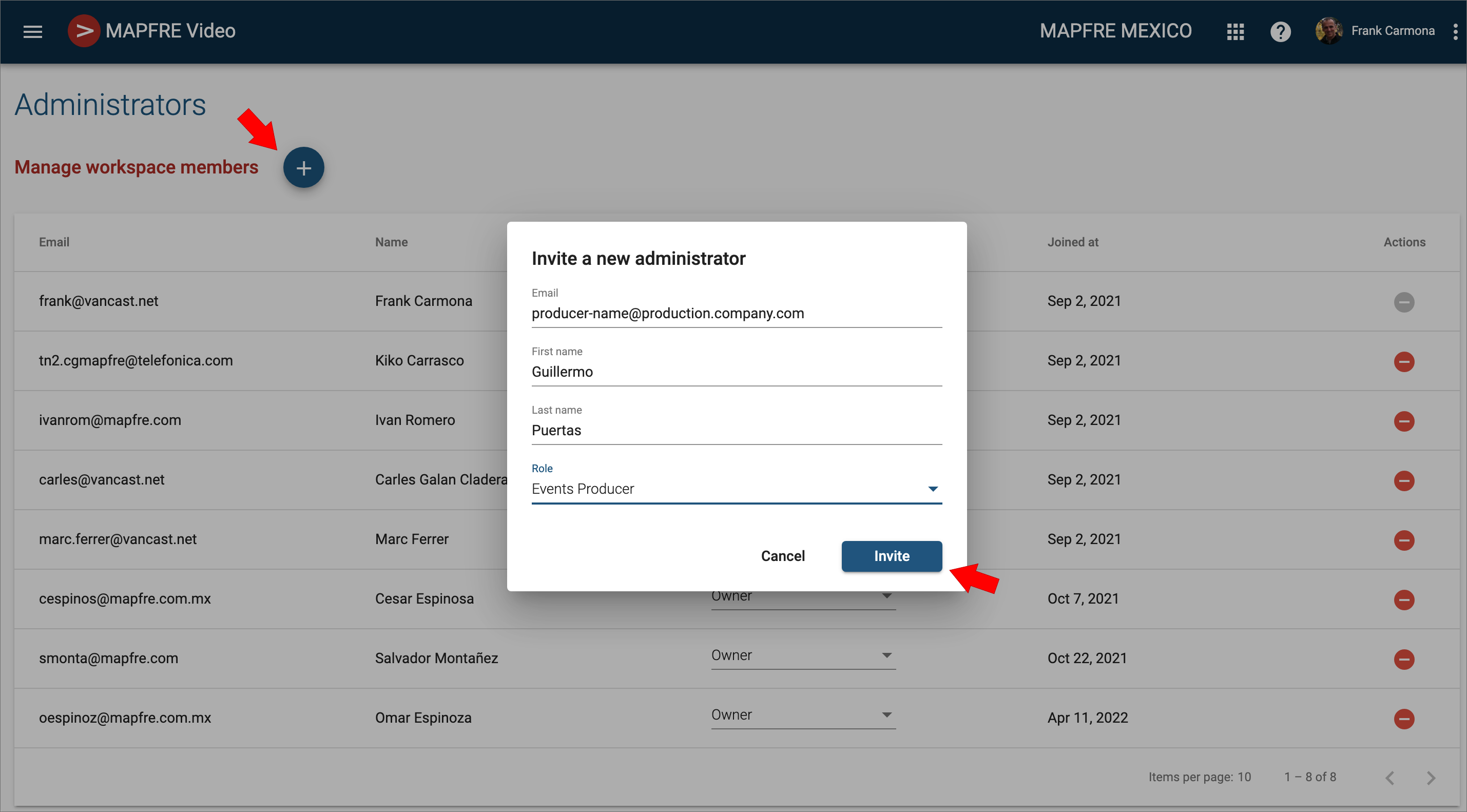
The Role you choose for this type of collaborator must be "Events Producer"
The invited person will receive an email where he will need to create a password to gain access to the VancastVideo platform as an Events Producer admin.
2) Give the new Collaborator permission over the event
Note that you will not be able to give them permission until he has logged in to the platform's workspace for the first time.
- Access the Event management page by clicking on the Event's Title
- Once there, on the left-hand menu, unfold the Collaborators section and click on Production.
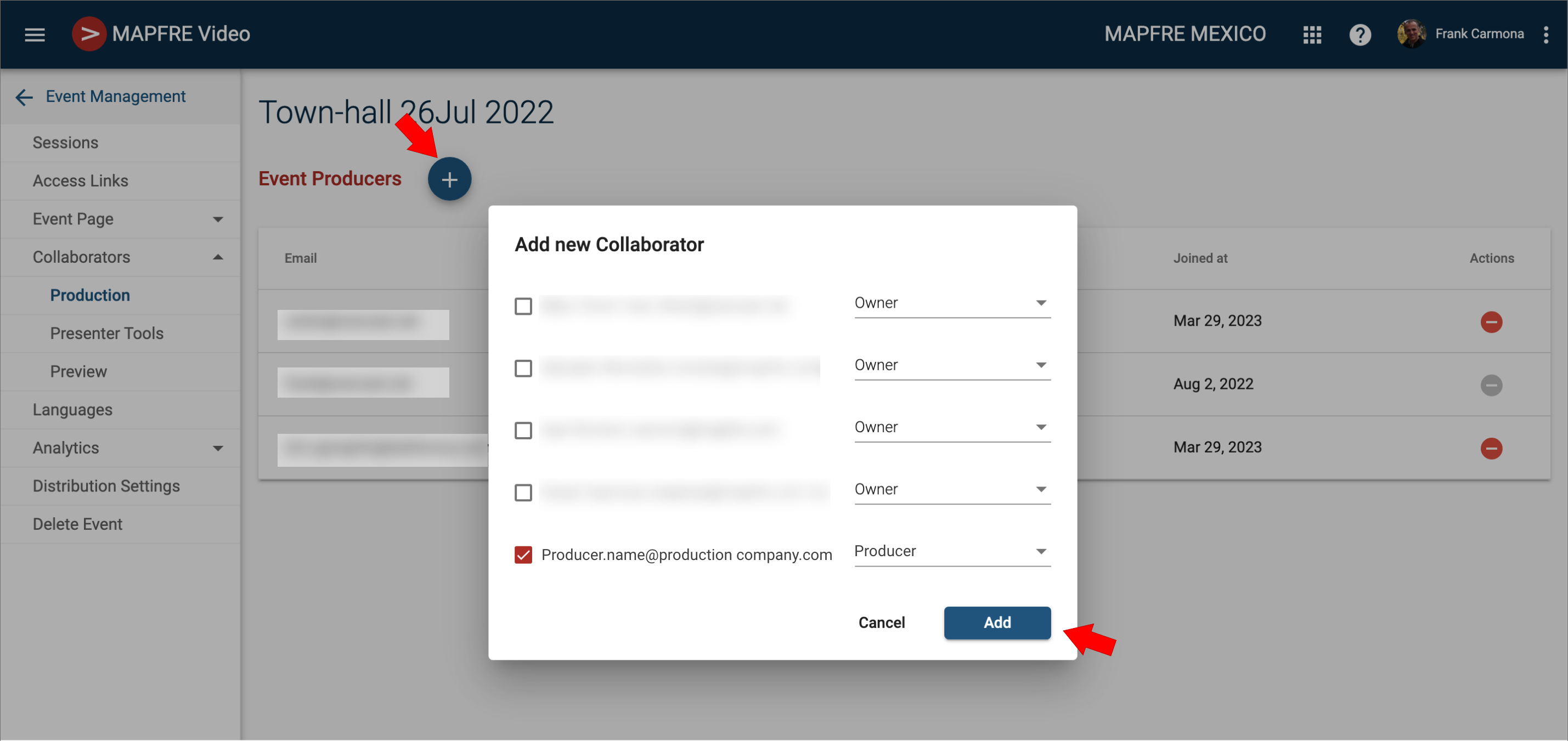
Click onto add a new collaborator to your event.
Check your producer's email and choose the role "Producer". Then click on the Add button.
3) Share with the producer the following article on this support platform:
How to get the RTMP URL and the StreamKey pair
The external company is a one-time collaborator (STEPS)
In this scenario, the most effective approach is for an existing administrator to use VancastVideo's Streaming Engines feature to launch the stream, and then share the RTMP URL along with the StreamKey or Token with the producer via email.
Read this article about How to get the RTMP URL and the StreamKey pair
Important: Please note that the streaming engines used by the producer are dedicated temporary servers, and as such, the RTMP URL and StreamKey values will change each time a new streaming engine is used. This means that different values will need to be used for the rehearsal day and the actual event day
Was this article helpful?
That’s Great!
Thank you for your feedback
Sorry! We couldn't be helpful
Thank you for your feedback
Feedback sent
We appreciate your effort and will try to fix the article