Intended for: Streaming Providers, external or internal that want to stream a video signal against a Vancast Video event session.
Steps:
Log-in the VancastVideo platform
using the invitation received from the product owner
- If this is your first time working with the VancastVideo Platform, you'll receive an invitation to join the workspace as an admin. Once accepted and completed the requested steps, the Event Owner will invite you as a producer for the specific event he wants you to collaborate with.
- for further collaborations, the Event Owner will invite you as a producer for the specific event he wants you to collaborate with.
Launch the Streaming Engines
VancastVideo uses dedicated streaming engines per event and language. These Streaming engines transcode the RTMP video into several HLS streams, they make a recording in several formats and qualities and they can also re-stream via RTMP to other platforms or CDN's like youtube, vimeo, periscope, etc.
- Access the platform via the link you'll have received from the event owner
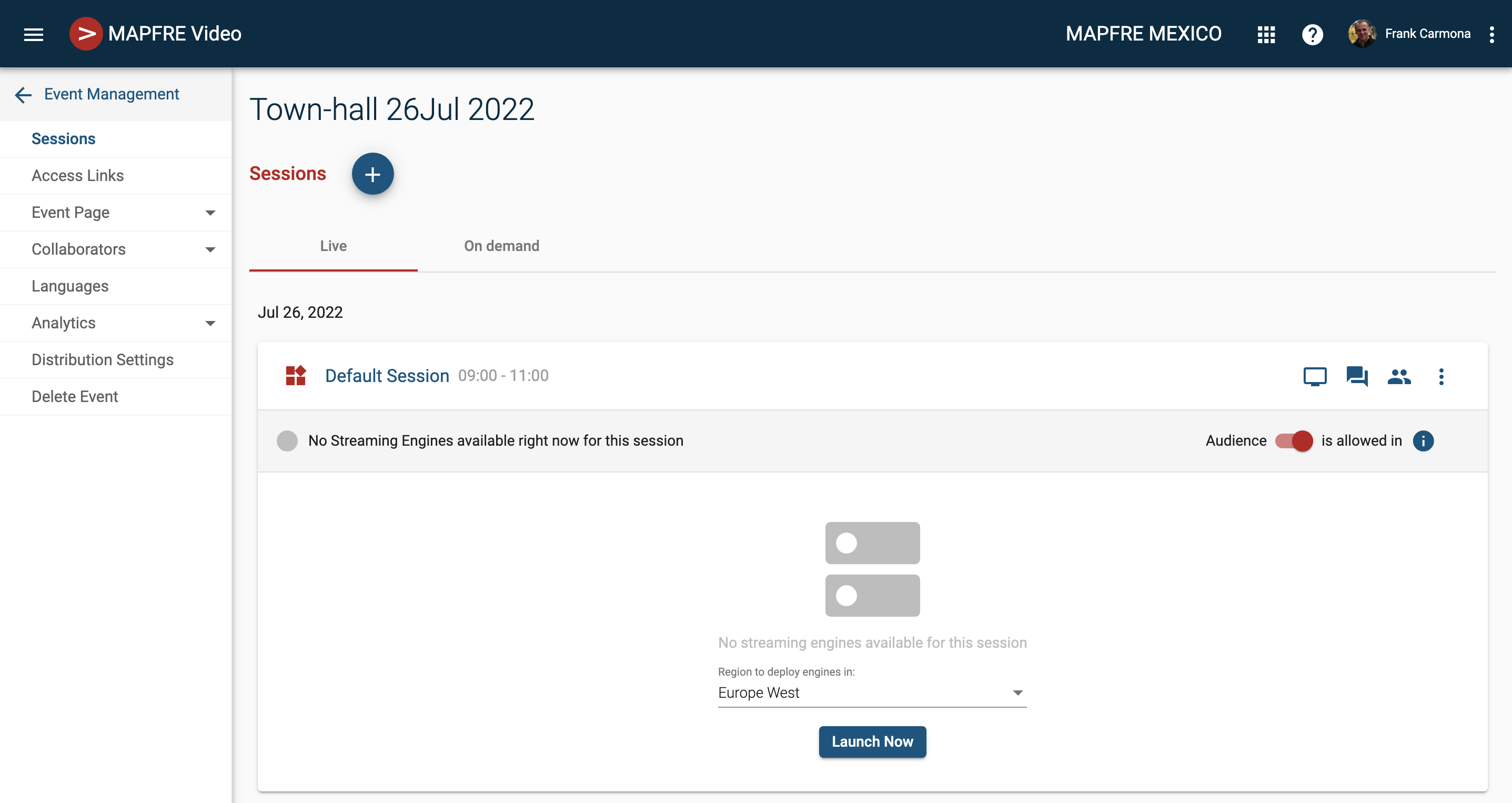
- Hover over the session you want to stream to. Click on the Sessions Name area. It'll unfold on this screen:
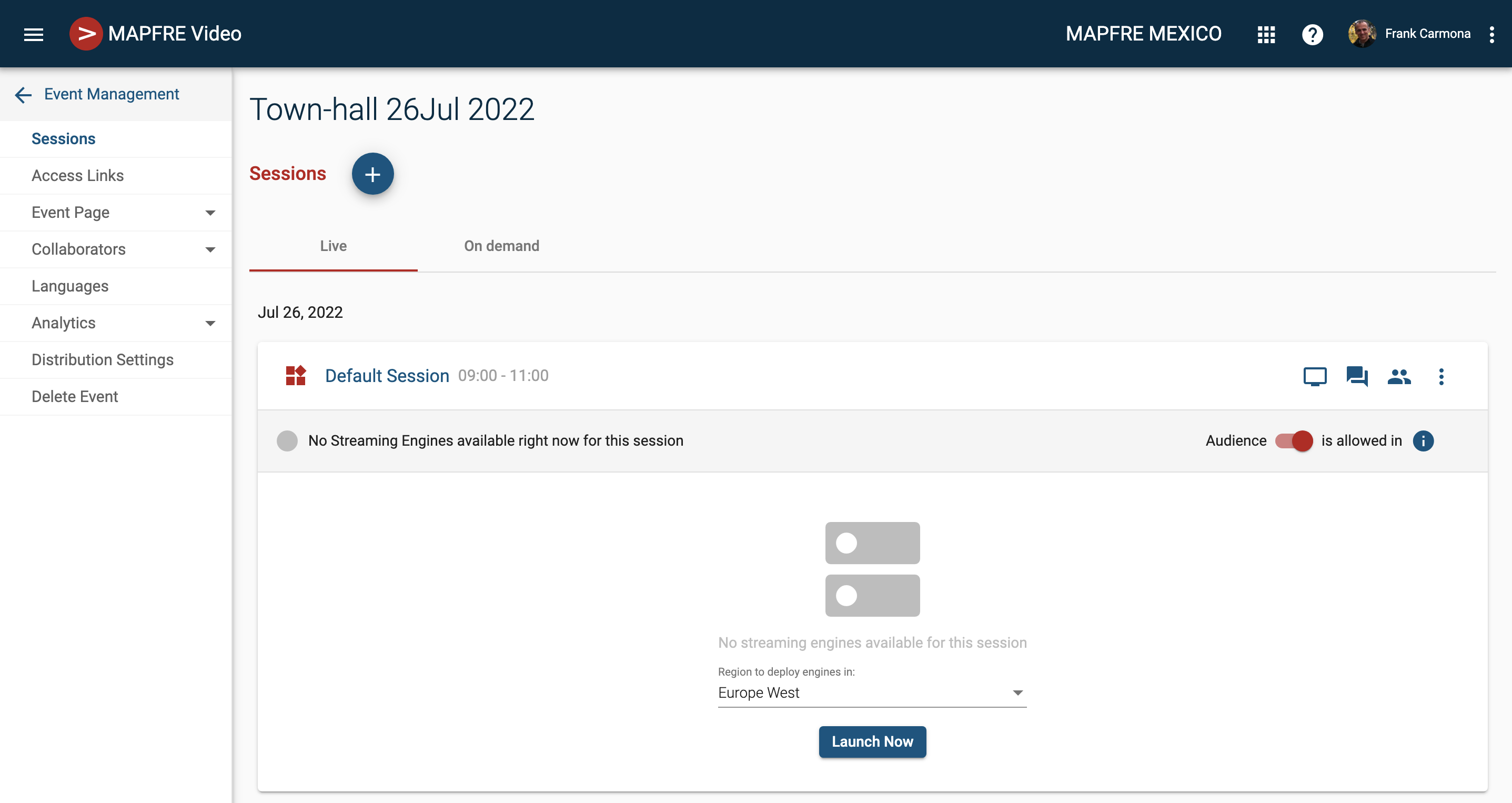
- In Region to deploy engines in field, choose the closest region to your encoding location, amongst the available ones, and click Launch Now
- The Streaming Engines will be ready in around 2-3 minutes.
Get the RTMP URL and Stream token
When the Streaming Engines are ready, your screen will appear like this:
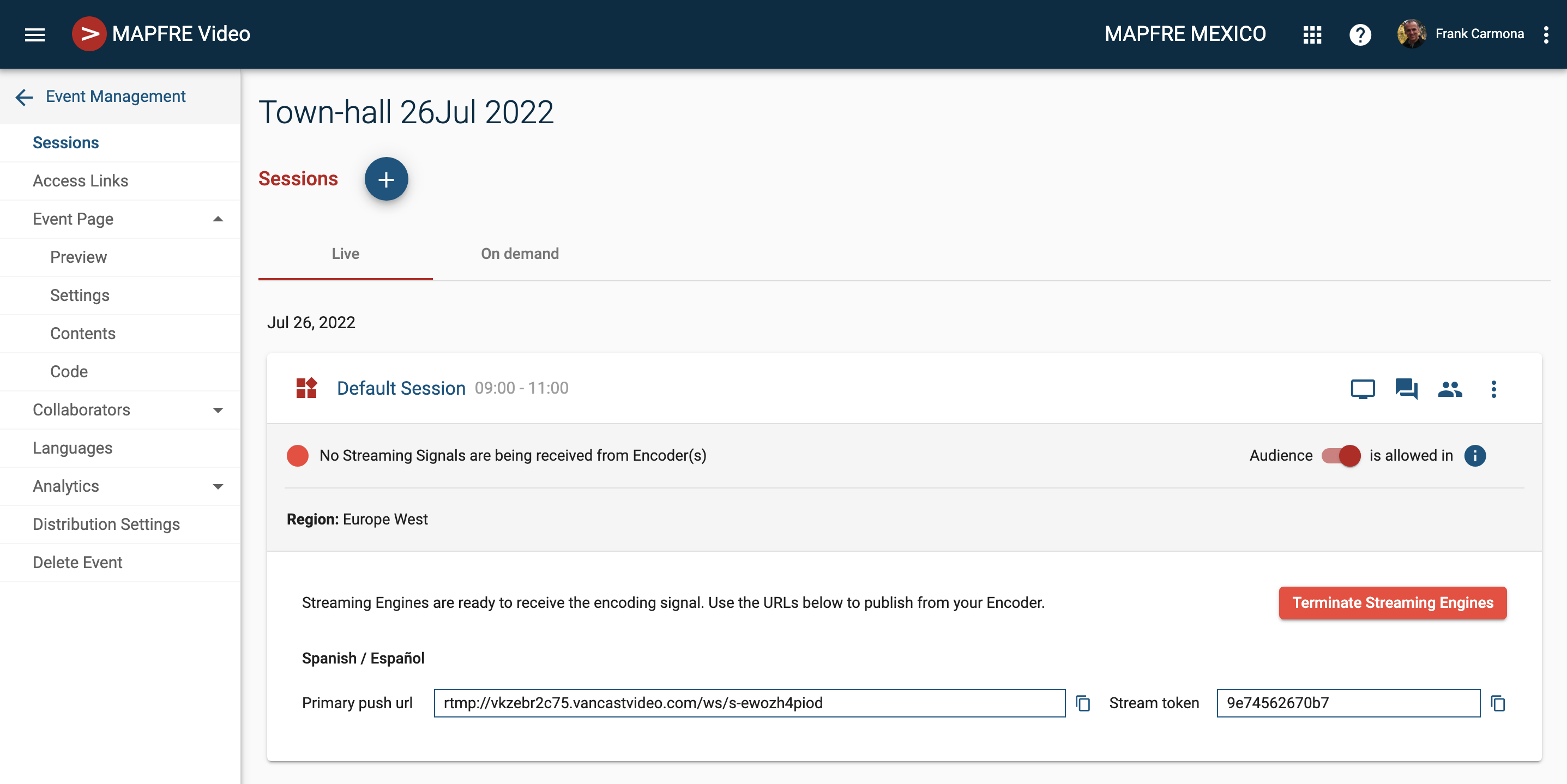
Use the Copy to clipboard buttons next to the URL and stream token.
Paste these values into your encoding gear and start streaming
Check the video signal is arriving well to the Streaming engines
If the RTMP streaming signal is successfully reaching up to your event the screen will update
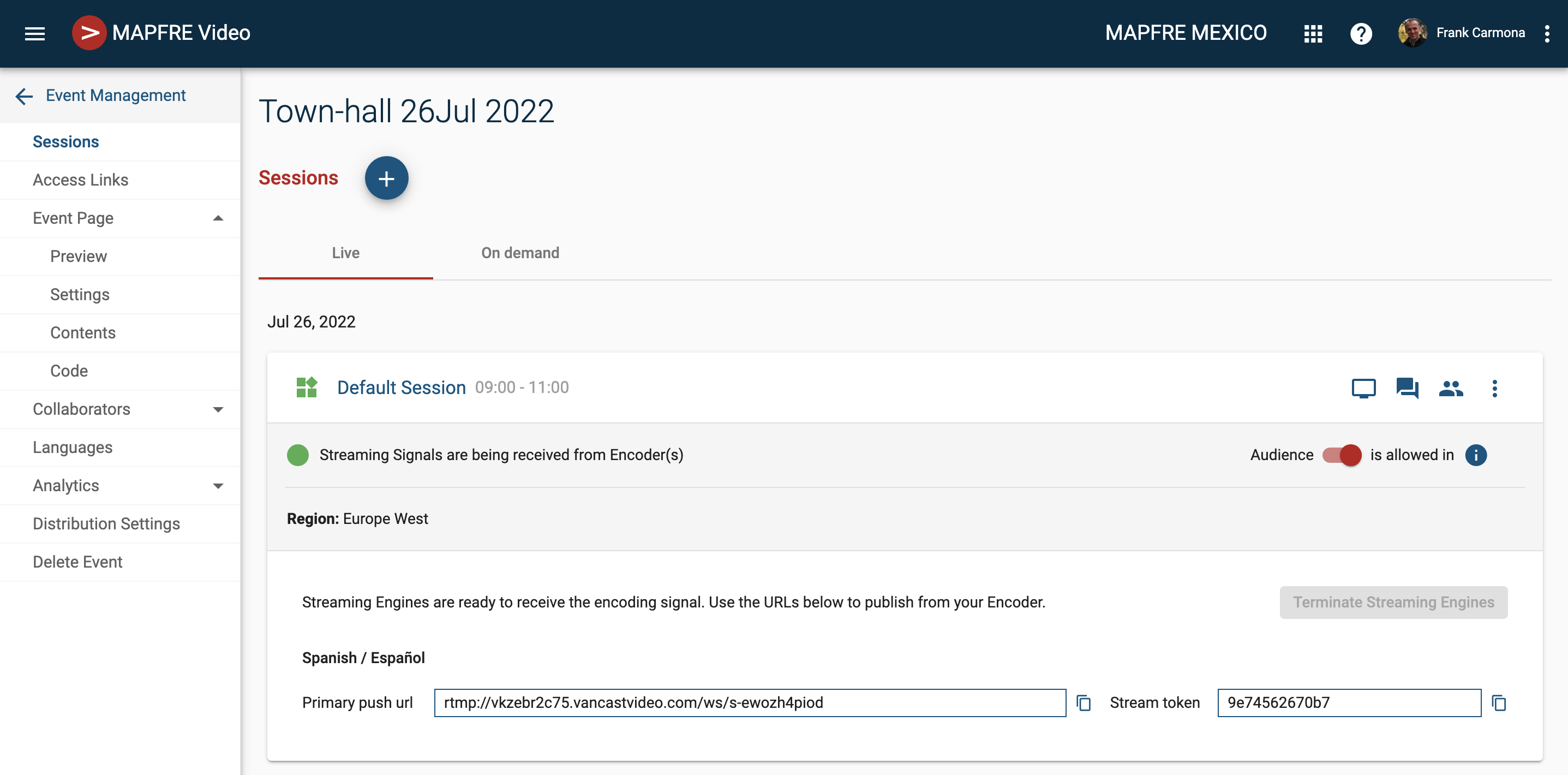
Was this article helpful?
That’s Great!
Thank you for your feedback
Sorry! We couldn't be helpful
Thank you for your feedback
Feedback sent
We appreciate your effort and will try to fix the article